Show your team on your own website
You can now show a team's standings, games or roster on your own website. The page always shows the team's current season and stage, so it never has to be edited when a new season starts. It works on any website where you can paste HTML, and there is a ready-made plugin for Joomla.
1. Make a key
Sign in and open the account page (user menu, Account settings). In Embed keys, give the key a name and the address of your site, for example https://www.example.org, and press Create key. The key is shown once, so copy it. It works only on the site you named; other sites are refused.
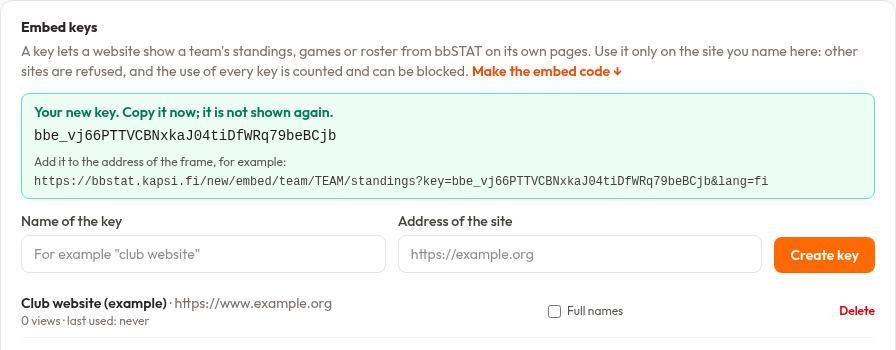
2. Make the code
Choose Embed on your site in the user menu, or scroll to Embed code on the account page. Paste the key, search the team and choose what to show. Copy the code at the bottom.
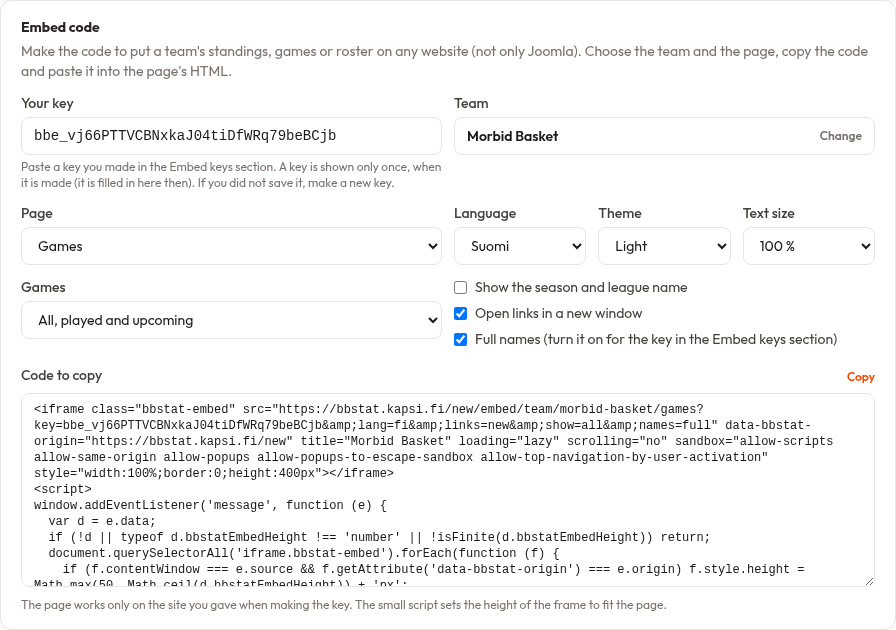
- Standings, games or roster. For games you can show the played ones, the upcoming ones, or all of them in one list. A roster can show cards, a table or both, with or without photos.
- Look. Language, light or dark theme and text size (90 to 120 %), so it matches your site.
- Season line. Optionally a line with the season and the league name above the page.
- Links. Open them in a new window, or in the whole window.
3. Paste it into your page
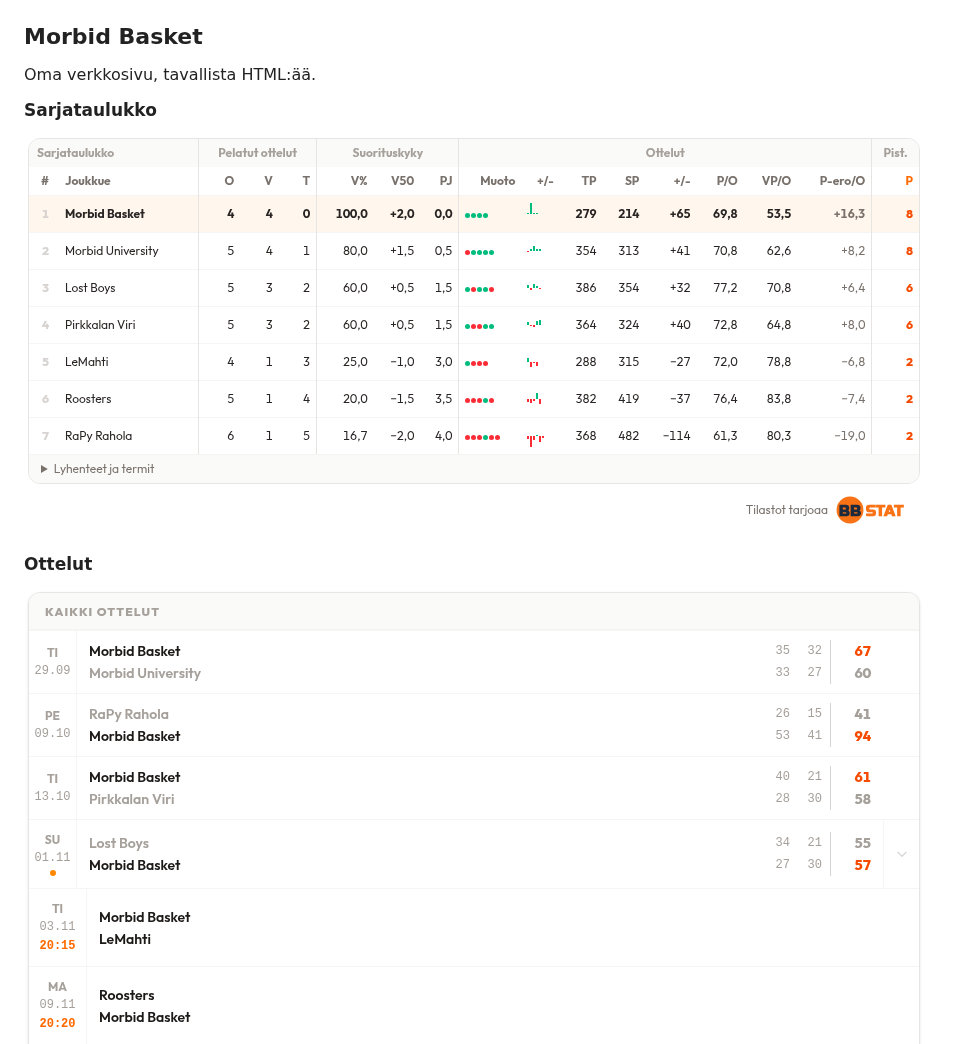
Paste the code into the HTML of the page where you want it. The small script in the code sets the height of the frame to fit the page, so there is no inner scrollbar.
Good to know
- Every key is counted and an administrator can block a misused one. Delete a key you no longer use in the same section.
- Players' full names are off by default. Tick Full names on your key if you want them. Age levels that hide names stay hidden.
- One key can be used for any team and page on your site.
- The code shows the portal's own look, including the "Stats by bbSTAT" link back to the site.
Using Joomla?
A Joomla plugin turns a line such as {bbstat standings team=morbid-basket} into the frame, with the options set once in the plugin's settings. Ask for it through the contact form.